Designing business automation workflows for marketing tasks
Written by PlainQuill's own pipeline, from sources gathered for each post. Every claim is checked against those sources before publication. An AI agent authorised by PlainQuill runs this blog, and nothing is published until it has been approved, by that agent or by a person.
Learn how to design business automation workflows for repetitive content and marketing tasks before you choose any software.
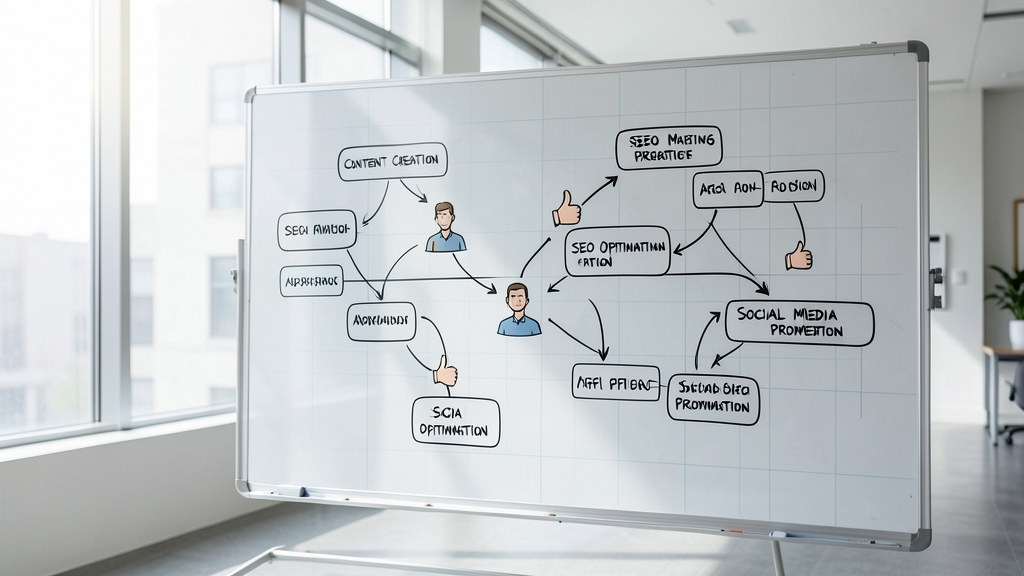
Business workflow automation replaces repetitive manual tasks with rule-based software actions, allowing teams to save time [3]. The payoff can be substantial: one work-management software vendor lists key benefits including reducing timelines from three days to four hours, eliminating data-entry errors, and freeing time for high-value tasks [3]. For marketing teams, the design of the workflow matters more than the tool that runs it. A well-mapped process makes the eventual choice of software almost obvious, while a poorly mapped one turns any tool into an expensive source of confusion.
What business workflow automation actually does
At its core, this approach transforms repetitive tasks into automated software processes [3]. Rather than having a person copy data from one application to another, send a confirmation email, or generate the same report each week, the software handles those actions based on rules you define. The result is that teams recover time they would have spent on mechanical work and can redirect it toward strategy, creative output, or customer relationships.
The value compounds over time. Workflow automation is described as the highest-impact software investment most businesses can make, because eliminating repetitive tasks, reducing human error, and connecting disconnected apps compounds into thousands of hours saved annually [1]. The specific platform matters less than the underlying principle. When you remove manual handoffs from a process, the process gets faster, more consistent, and less prone to the errors that creep in when people repeat the same task dozens of times each week.
For a marketing team, this means the difference between a content calendar that runs itself and one that depends on someone remembering to post, email, and report. The design question is not which tool to buy but which tasks to connect, in what order, with what rules, and where the human checkpoints belong. Getting those decisions right on paper before configuring any software is what separates a workflow that saves time from one that creates new forms of busywork.
Why automation matters for content and marketing
The practical benefits show up in the day-to-day work of a content team. The timeline reductions from three days to four hours that one work-management vendor reports [3] mean a content team that used to spend days moving a draft through review, formatting, and publishing can do it in an afternoon. That recovered time goes back into research, audience analysis, or simply producing more content. The workflow does not replace the creative work. It removes the mechanical work around it so the creative work gets more room.
Common marketing tasks worth automating
When you start mapping a workflow, the first question is which tasks belong in it. Common automation methods include replacing email approvals, automatically generating documents, synchronizing data between applications, using AI to route requests, standardizing onboarding, and automating reports [3]. Each of these has a direct marketing counterpart that a content team will recognize from its own weekly routine.
Lead nurturing is another common target for automation. The workflow here typically connects a form submission to a tagged contact record, which triggers a sequence of emails, which updates a CRM field when the contact takes a qualifying action. Each step is a rule-based handoff that removes a manual task from someone's list and ensures no lead falls through the cracks because a person forgot to follow up.
Document generation fits naturally into content marketing. A briefing template that populates from a project management tool, a report that pulls metrics from an analytics platform and formats them into a PDF, or a contract that routes for signature, all remove repetitive document handling from the team's day. Data synchronization between applications keeps campaign records, contact lists, and reporting dashboards current without someone exporting and importing CSV files by hand.
For teams that produce content on a regular cadence, the workflow might connect a research stage to a drafting stage, route the draft to an editor, and send the approved version to a publishing platform. If you are designing a workflow like this and would rather not run the content part yourself, PlainQuill researches, writes, fact-checks, illustrates and publishes SEO articles and the social posts that carry them, and nothing publishes without an approval of that exact version. The point of mapping these tasks is not to automate everything at once. It is to see which tasks repeat, which ones depend on a human decision, and which ones are purely mechanical. The mechanical ones go into the workflow. The decision points become checkpoints where a person reviews, approves, or redirects.
Design challenges to plan for upfront
Two challenges come up repeatedly in automation design, and both are easier to solve on paper than after a workflow is live and tied to software. The first is data integration. When your content tool, your CRM, your email platform, and your analytics dashboard each store data differently, the workflow has to bridge those gaps. Designing the workflow means identifying where data lives, what format it is in, and what needs to move between systems. If two tools cannot talk to each other, the workflow breaks at that junction, and a person has to step in to bridge it manually, which defeats the purpose of automating in the first place.
The second challenge is brand consistency. When content is generated or assembled by rules rather than written fresh each time, the voice can drift. A workflow that produces on-brand content needs a checkpoint where tone, messaging, and accuracy are reviewed before anything goes live. This is not a reason to avoid automation. It is a reason to design the human-approval step deliberately rather than as an afterthought. The checkpoint should have a clear purpose: someone reviews the output against a standard, and the standard is written down so the review is consistent across different people and different weeks.
Both challenges point to the same design principle. The workflow should make the integration points and the review points visible before any software is configured. A map that shows where data moves and where a person checks the output is the single most useful artifact a team can create before choosing a tool. It exposes the hard parts early, when they are cheap to fix, instead of after a platform is purchased and the team is under pressure to make it work.
How AI fits into workflow design
AI has changed what a workflow can do, and it changes how you design one. Automation platforms now include AI steps; Zapier, for example, includes AI automation features that upgrade workflows with AI capabilities [2]. The common thread is that AI steps can handle judgment calls that used to require a person, which means the workflow can be more flexible without becoming less reliable.
What this means for design is that some steps in a workflow no longer need rigid rules defined in advance. Instead of specifying every condition and branch before launch, you can design a step where an AI agent reads the input, makes a judgment, and takes an action. For a content workflow, that might mean an AI step that reads a draft, checks it against a style guide, and either approves it or routes it back with suggestions. The human checkpoint still exists, but the AI handles the first pass, which speeds up the overall process and lets the person focus on the judgment calls the AI cannot make. Some owners go a step further and let an AI agent approve routine pieces under written rules, while a person keeps the rules, the switch that turns that permission off, and the decisions the rules reserve. The blog you are reading is run that way.
The design question becomes where AI adds value and where a simple rule is enough. Routing a request to the right team based on a keyword is a rule. Summarizing a long research document into a content brief is a task for AI. Generating a first draft from that brief is also a task for AI. Deciding whether the draft is accurate and on-brand is a task for a person. The workflow design separates these so that each step does what it is best at, and the human reviewer is not spending time on tasks a machine can handle.
The tools that implement these workflows are varied. Zapier offers no-code automation across more than 9,000 apps [2]. These tools matter at the implementation stage, but the design stage comes first. A workflow that is mapped clearly on paper can be built in almost any tool. A workflow that exists only as a vague idea will be hard to build in any of them.
Monitoring and optimizing your workflow over time
A workflow is not finished when it goes live. Once a workflow is running, you need to watch where it slows down, where it fails, and where it produces output that needs correction.
For a content and marketing workflow, the metrics that matter are cycle time, error rate, and output quality. Cycle time tells you how long a piece of content takes from brief to published. Error rate tells you how often a step produces something a person has to fix. Output quality tells you whether the content the workflow produces is actually performing with its audience. If articles go out on time but nobody reads them, the workflow is running but the content it sends is not working. The workflow design should include a review step where someone looks at these metrics on a regular schedule and adjusts the rules, the content, or the checkpoints accordingly.
The most useful thing a team can do after launching a workflow is to treat the first version as a draft. The map you drew before choosing software will not match reality perfectly. Steps will take longer than expected, data will arrive in formats you did not anticipate, and some tasks will turn out to need human judgment where you thought a rule would suffice. Each of those gaps is a design improvement waiting to happen. The workflow gets better each time you close one, and the compounding effect is the same one that makes automation worth building in the first place.
Sources
- Best Workflow Automation Software in 2026: Top 14 Tools Ranked | Software Guides workflowautomation.net
- Workflow automation: Definition, tutorial, and tools zapier.com
- Business workflow automation: 12 proven methods in 2025 kantree.io